If you are a content creator, podcaster, or marketer, understanding Vidyo AI Pricing upfront saves you time and money. This review covers every plan, the credit system, key features, real use cases, and honest FAQs so you can pick the right plan before signing up.
What Is Vidyo AI?
Vidyo AI (also known as Quso.ai) is an AI-powered video repurposing platform trusted by over 4 million creators worldwide. It automatically converts long-form content — podcasts, webinars, YouTube videos, interviews — into short, platform-ready clips for TikTok, Instagram Reels, YouTube Shorts, and LinkedIn.
At its core is the Intelliclips engine, which uses AI to detect the most engaging moments in your video and automatically clip, caption, and reframe them — without any manual editing.
Vidyo AI Pricing Plans at a Glance
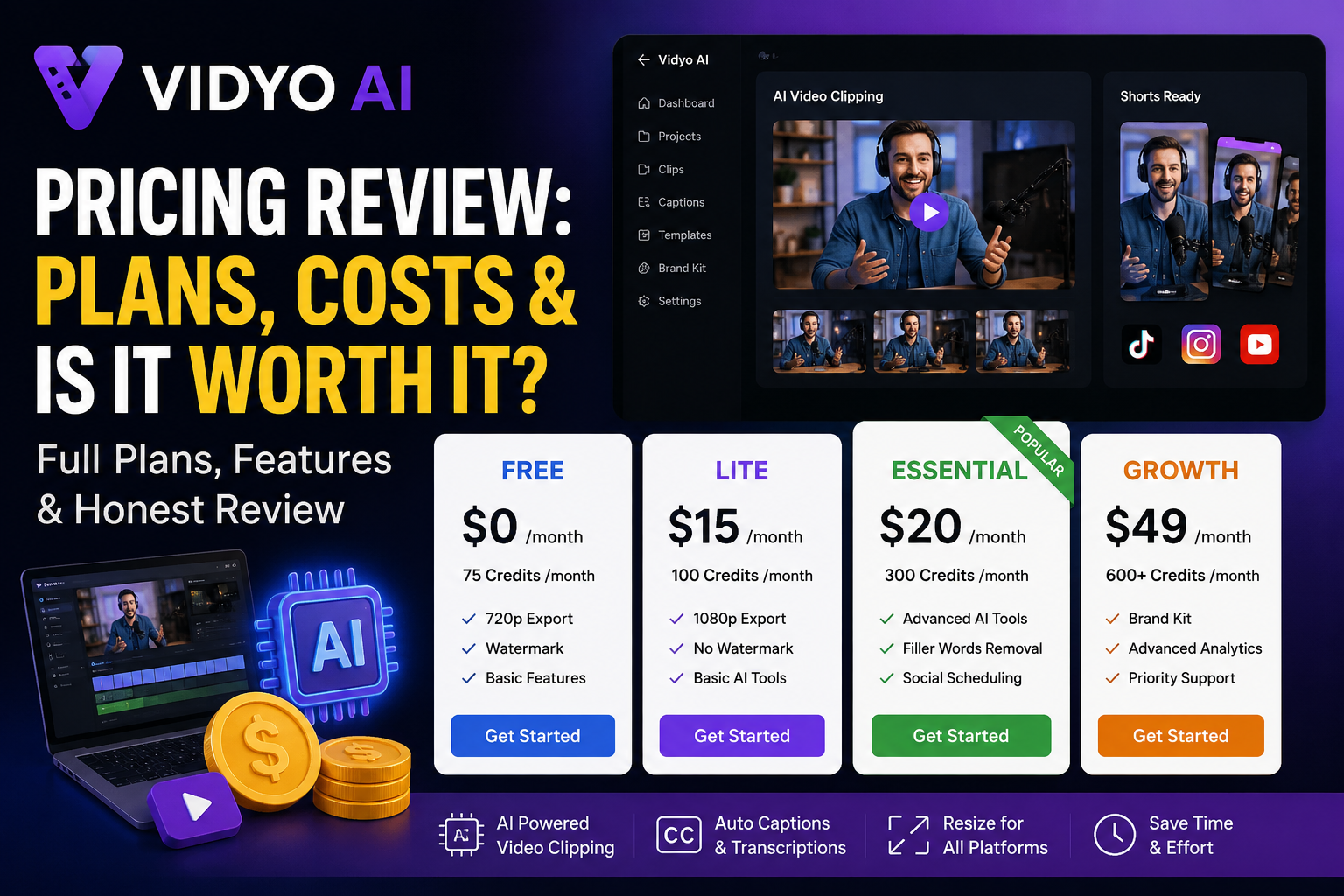
Vidyo AI offers four tiers: Free, Lite, Essential, and Growth. Here is a quick overview before we go deeper:
| Plan | Annual Price | Monthly Price | Credits/Month |
| Free | $0 | $0 | 75 credits |
| Lite | $15/month | $18/month | 100 credits |
| Essential | $20/month | $24/month | 300 credits |
| Growth | $25/month | $30/month | 600–1,800 credits |
Key Features of Vidyo AI
1. Intelliclips AI Engine
The platform’s flagship feature. It scans your long-form video and automatically identifies the most engaging, share-worthy moments — no manual timestamp marking needed.
2. AI Captions
Auto-generated, customizable captions in 100+ languages. You can adjust font, color, size, and position to match your brand style. Captions improve retention on social platforms significantly.
3. Auto-Reframing
Automatically converts horizontal (16:9) videos into vertical (9:16) format for Reels and Shorts. The AI tracks the speaker and keeps them centered throughout.
4. 1-Click Social Scheduling
Directly publish and schedule clips to TikTok, Instagram, YouTube Shorts, LinkedIn, and Twitter — all from inside Vidyo AI. No need for a separate scheduling tool.
5. Brand Kit
Available on Lite and above. Apply your brand colors, fonts, and logo to every clip automatically — ensuring consistent visual identity across all your content.
6. AI Avatars
Generate AI avatar-led clips from a script. Useful for teams that do not want to appear on camera but still need a human-looking presenter.
7. Filler Word Removal
AI automatically detects and removes filler words (um, uh, like, you know) from your clips — improving the overall quality without manual editing.
8. Multi-Platform Export
Export clips in the correct aspect ratio and format for each platform in one step. No manual resizing between platforms.
Use Cases: Who Should Use Vidyo AI?
🎙️ Podcasters
Turn each episode into 5–10 short clips for social media. AI identifies the most quotable moments automatically, saving hours of manual editing per episode.
📹 YouTubers
Repurpose long YouTube videos into Shorts without re-editing. Grow a Shorts channel from your existing content library with minimal extra effort.
🏢 Marketing Teams
Repurpose webinars, product demos, and interview videos into social-ready clips at scale. The brand kit ensures every clip matches company guidelines automatically.
🎓 Educators & Course Creators
Turn long lectures or course modules into digestible short clips to use as teasers, promotional content, or learning summaries.
📱 Social Media Managers
Manage multiple clients’ content repurposing from one dashboard. The Growth plan’s bulk export and priority support are built for this workflow.
🎤 Speakers & Coaches
Convert keynote speeches, training sessions, and coaching calls into shareable clips that demonstrate expertise and drive audience growth.
FAQs About Vidyo AI Pricing
Q1: Can I cancel my plan anytime?
Yes. You can cancel anytime from Settings > Billing and Plans. There are no cancellation fees.
Q2: Is Vidyo AI the same as Quso.ai?
Yes. Vidyo AI has rebranded to Quso.ai. Features, pricing, and system remain the same.
Q3: Does Vidyo AI work on mobile?
Yes. Vidyo AI has a mobile app that allows you to edit, repurpose, and publish videos directly from your phone.
Q4: Which plan is best for a solo podcaster?
The Essential plan ($20/month) is ideal for most podcasters. It offers around 300 credits, enough for multiple episodes per month.
Q5: Does scheduling use credits?
No. Scheduling, publishing, and brand kit features do not use any credits.